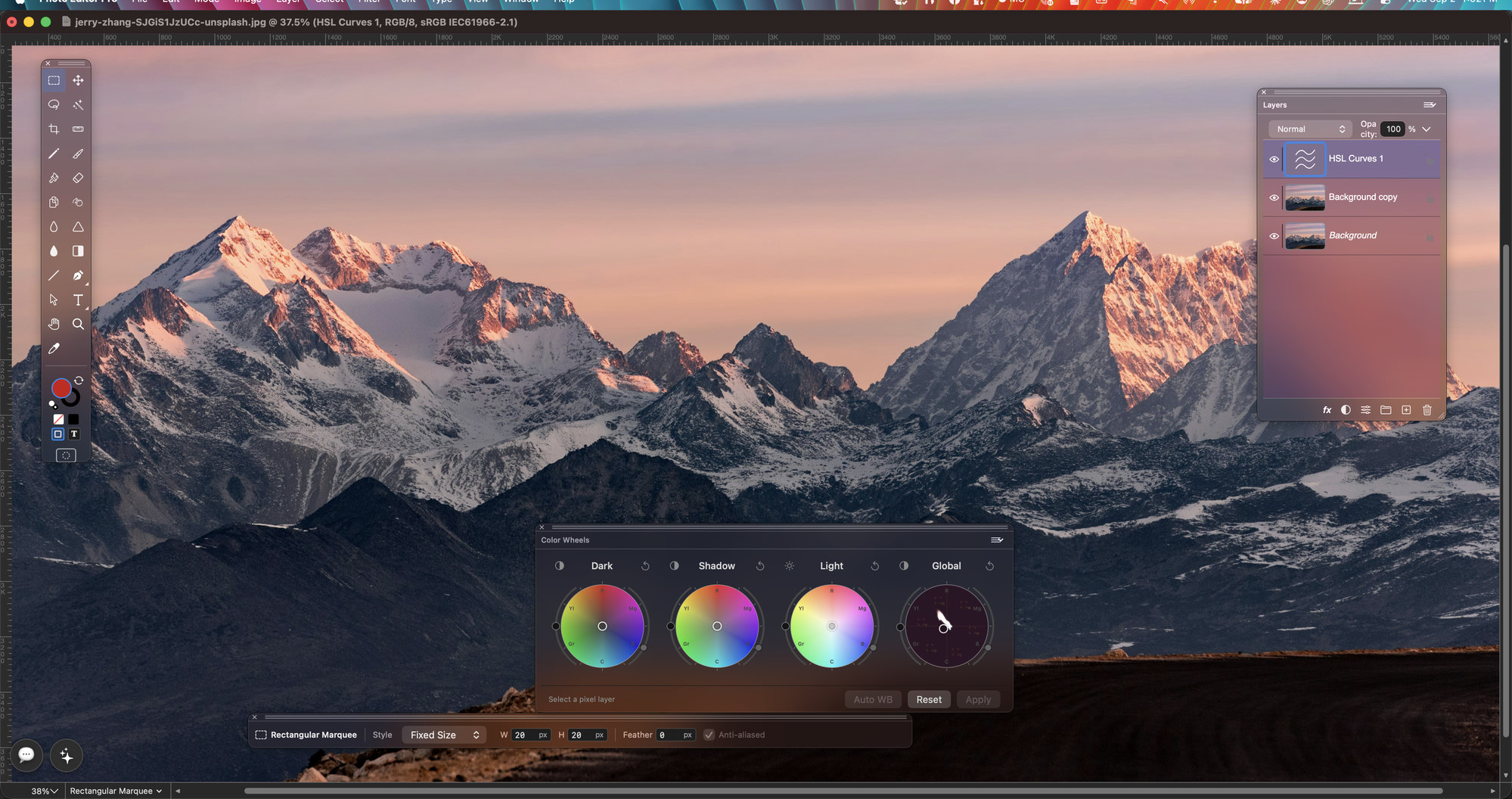
Open a photograph, stack your changes in layers, mask what you don't want touched — and change your mind next week, because every layer is still there. Photo Editor Pro saves a layered TIFF: Photoshop opens the layers, every other app opens the picture.
A picture has a real size and real edges, and the app respects both. Select a face with a soft edge and the softness is real: every brush, every adjustment fades out exactly where your selection does. Need clean lines on top — a logo, a path, some placed artwork? They sit in their own layer, sharp at any size, right inside the picture.
And what you see is what you save: the image on screen and the file on disk are the same picture, always.
Save, and you get one file that does everything: any viewer shows the finished picture, Photoshop opens it with the layers, and Photo Editor Pro brings back the whole stack — names, masks, groups and guides. PSD works too, in both directions.
Formats and saving →Every card below is a section of the feature guide.
Groups, layer masks, vector masks, sixteen blend modes, opacity, and non-destructive drop shadow, outer glow and stroke.
Learn more →Marquee, lasso, magic wand, Grow, Similar, Feather, Fringe, Quick Mask and selections stored as alpha channels.
Learn more →Brush, pencil, airbrush, eraser, rubber stamp, smudge, blur and sharpen over a real brush engine, with a Brushes palette.
Learn more →Levels, Curves, Hue/Saturation, Colour Balance, Brightness/Contrast, Threshold, Posterize, Equalize, Invert and Arbitrary Map.
Learn more →Non-destructive control layers, including Colour Lookup from a .cube or .3dl file, colour wheels and HSL curves.
Learn more →Twenty-one filters with their original parameters — Gaussian Blur, Unsharp Mask, Median, Add Noise, Mosaic, Custom kernels and more.
Learn more →Bitmap, Grayscale, Indexed, RGB, CMYK, Lab and Multichannel, 8 or 16 bits, with channels, ICC conversion and printing.
Learn more →The pen stays: work paths, vector masks, and SVG, .ai or PDF placed as smart objects you edit in SVG Editor.
Learn more →Ask for changes in plain language, in the app — or let your own assistant do the editing for you.
Learn more →File, Edit, Mode, Image, Layer, Select and Filter sit where your hands expect them, with the Photoshop keyboard chords. The vector menus of the editor this app grew out of are still there, and validate to disabled while a picture is in front.
The workspace →
Drop an SVG, .ai or PDF into a photo and it stays a live object, not a flattened copy: double-click it, fix the artwork in SVG Editor, and the change lands back in your picture by itself.
Version 26.0, the first public build. Direct download only — signed by RainbowFactory LTD, notarised by Apple, and it keeps itself up to date.
This is the first public build, and it is a beta: work on copies of your pictures and tell us what breaks — Join us on Discord, or Help ▸ Send Feedback… inside the app. What it already does — and what it does not do yet — is on the features page.