RequirementsWindows 10 version 1809 or later, or Windows 11. x64 — an ARM64 build is next.
Download12,927,893 bytes (about 12 MB), a single .zip. No installer: unzip it anywhere and run svgeditor.exe. The archive holds the executable, assets/, scripting/ and icudtl.dat, and nothing else.
Nothing else to installNo frameworks, no dependencies: the zip is everything.
SigningSigned by Rainbowfactory Ltd with an Azure Trusted Signing certificate and timestamped, so Windows opens it without a SmartScreen warning. ARM64 is next.
Same app as the MacThe Windows version runs on the same core as the Mac app, so the two stay identical on the same files.
FontsUses the fonts installed on your PC.
File formatSVG, as it is. The document on disk is a plain SVG file, written by the same code the Mac writes with.
ImportOpens PDF and .ai files as editable vectors, and traces images into paths.
PlacePNG, JPEG, GIF, BMP, WebP, TIFF, HEIC and SVG, linked or embedded, or dropped straight onto the canvas; the Links palette tracks each one and can extract or re-link it.
Pen and inkA pen tablet or a pen display drives the Pencil, the Brush and the Spray with pressure: the Pencil stroke swells and thins with the hand, the Brush stamps follow it, the Spray thickens under it. Turn the pen over and the eraser end erases; the palm resting on the screen is ignored while the pen is down. A stroke at full pressure is the same stroke the mouse draws, to the byte.
Export & printPDF, PNG and TIFF from File › Export, with a layered TIFF that keeps one layer per object, per layer or flattened; printing goes through the system printer.
ColourA document is RGB or CMYK, chosen in File › New and changeable in Document Setup; a CMYK document exports a /DeviceCMYK PDF. Colour is picked in the app’s own picker, which shows HSB, Lab, RGB, CMYK and hex on the same colour at once — the Windows colour dialog is never used.
ScriptingRuns your .jsx scripts (ExtendScript-style) unchanged, with full undo. Ten example scripts are included.
AI ConsoleWindow › AI Console (F7) or the ✨ button on the canvas: describe the artwork and get editable vectors back, through the Vector Designer server or with your own Claude, OpenAI or Gemini key, in which case the console works as an agent with 26 drawing tools. Keys are stored with Windows DPAPI.
MCP serverThe application is an MCP server: run svgeditor.exe --mcp-stdio and Claude Code, Claude Desktop, Codex or VS Code drive the 48 drawing tools on the open document. The configuration to paste is in Edit › Options › MCP Server.
FeedbackWindow › Feedback (Ctrl+Alt+F), the 💬 button on the canvas, or Help › Send Feedback…: text and screenshots go to the same tracker the Mac app reports to, queued on disk when offline.
UpdatesHelp › Check for Updates… reads the same kind of feed the Mac uses and opens the download; the automatic daily check is a switch in Options.
HelpVector Designer Help (F1), Keyboard Shortcuts… with a search box, and an Errors window that collects what went wrong instead of stopping you with a modal box.
Image TraceObject › Image Trace turns a placed bitmap into paths, using vtracer compiled into the application.
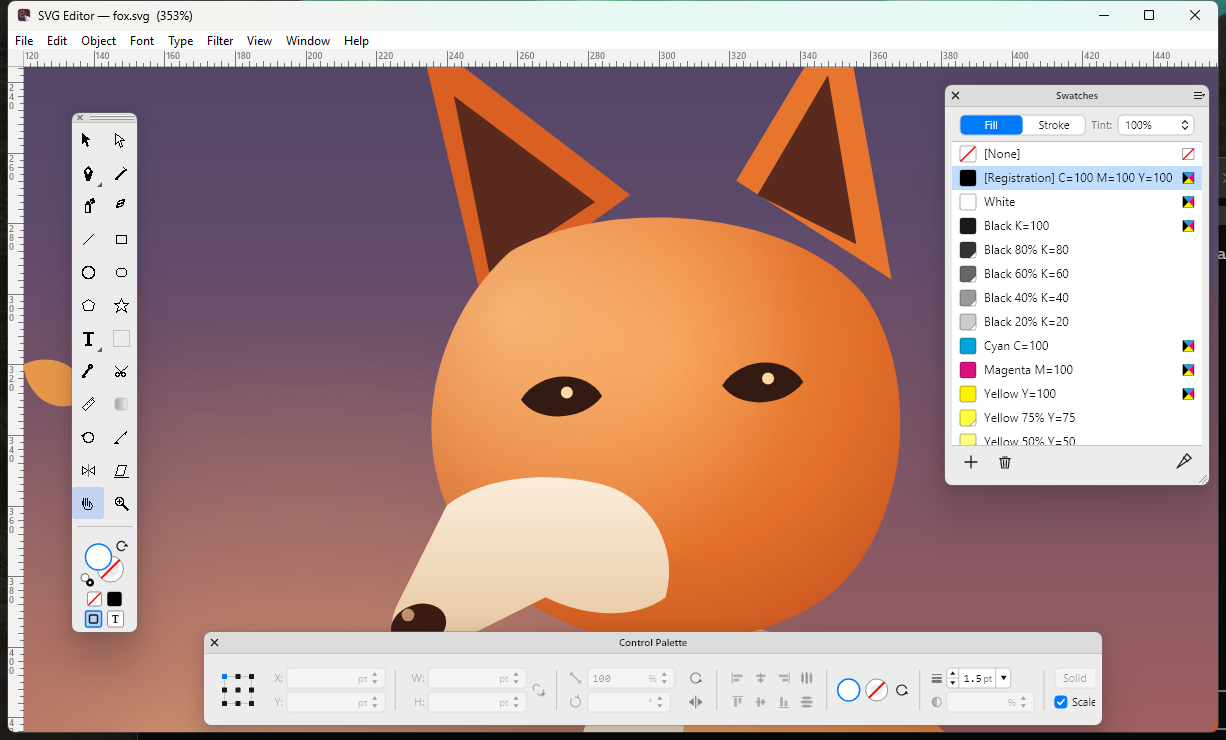
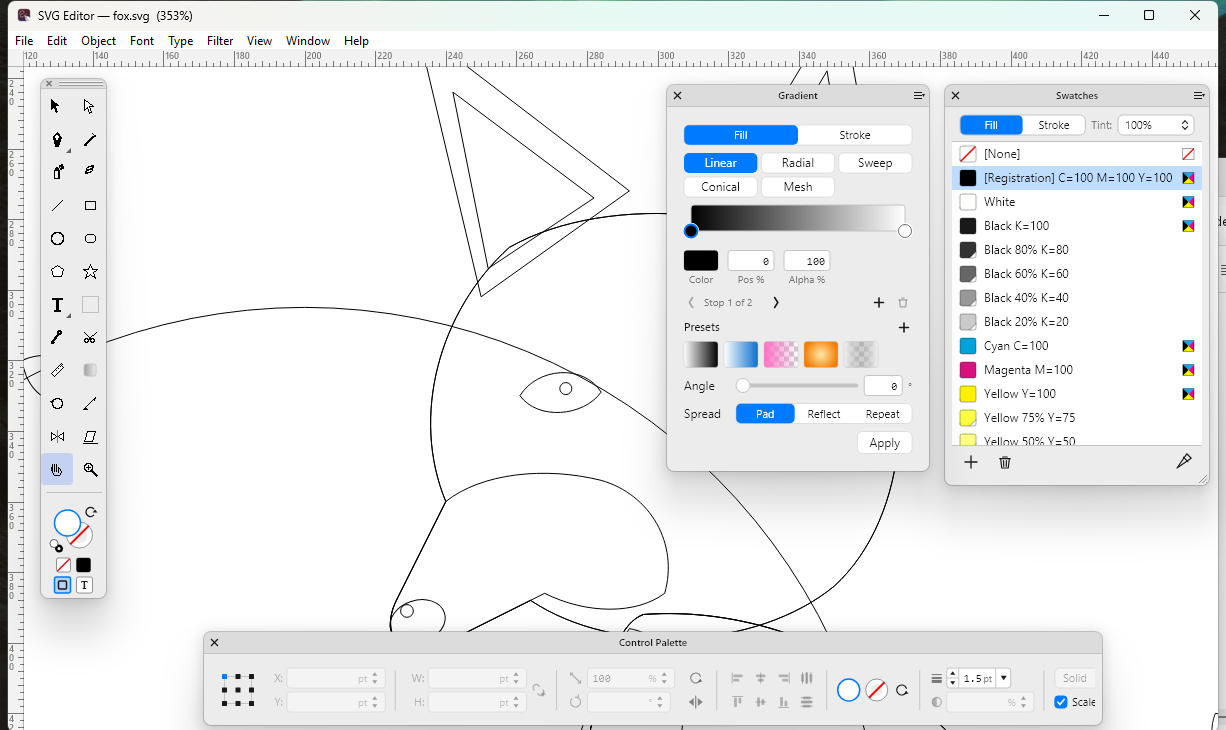
Palettes (20)Toolbox, Control, Colors, Swatches, Gradient, Pattern, Brushes, Symbols, Stroke, Transparency, Character, Paragraph, Align, Info, Links, Layers, Navigator, Pathfinder, Spray and Scripts. Every one of them opens, floats and remembers where you left it.
Tools (22 of 24)Selection, Direct Selection, Pen (with Add, Delete and Convert Anchor), Pencil, Spray, Eraser, Line, Rectangle, Rounded Rectangle, Ellipse, Polygon, Star, Text and Area Type, Eyedropper, Scissors, Measure, Rotate, Scale, Reflect, Shear, Hand and Zoom. Text Pencil and the Gradient tool are in the Toolbox, visible and greyed.
MenusThe Mac menu bar, item for item, in nine menus. A command the Windows shell cannot run yet is shown greyed in its place, never hidden.
Keyboard106 shortcuts — every ⌘ became Ctrl and every ⌥ became Alt. The full list is on the keyboard shortcuts page.
Not yet on WindowsType on Path and the Text Pencil are on the Mac and not here yet; PostScript and EPS import, the print panel with preview and scale, and one window per document are the other gaps. The rest of the shell — Options, the dark theme, Open Recent, the guides dialog — is now here.